npm, yarn, and pnpm Caches: How Much Space Are They Really Using?
If you've used more than one JavaScript package manager over the years — and most developers have, switching projects or following a team's preference — you likely have npm, yarn, and pnpm caches all sitting on your disk simultaneously, each maintaining its own separate copy of packages you've downloaded.
None of these caches are visible from Finder, none of them show up in About This Mac, and none of them get cleared automatically. Each one is designed to make future installs faster by skipping a re-download from the registry, and each one accomplishes that in a genuinely different way — which matters because it changes both how big each cache gets and how safe it is to clear.
Here's exactly where each one lives, how it behaves differently from the others, and what's actually safe to clear — plus a look at why the three ecosystems end up with such different total disk footprints even when you've installed roughly the same set of packages across roughly the same number of projects.
npm's cache: ~/.npm
npm stores every package tarball it downloads in a content-addressable cache at ~/.npm, keyed by integrity hash rather than package name and version, which is why you won't find a folder that obviously maps to a specific dependency.
Check its size with du -sh ~/.npm. To verify the cache's integrity and clear entries that fail validation, run npm cache verify — it reports the cache's total size and how many entries it holds. If you want to clear it entirely, npm cache clean --force is required (npm deliberately requires the --force flag here, since clearing the cache used to be considered risky enough to warrant a guard rail). Either way, it's safe: the cache only exists to skip a re-download, never to hold anything that isn't recoverable from the registry.
Because every package version is stored once by its content hash rather than duplicated per project, npm's cache doesn't grow linearly with the number of projects you have — it grows with the number of distinct package versions you've ever installed across all of them. A machine that's used a wide variety of dependencies across many client projects tends to accumulate a larger cache than one that's mostly worked on a handful of long-running codebases with stable dependency trees.
yarn's cache: it depends which yarn you're running
Yarn Classic (v1, still common on older projects) keeps its global cache at ~/Library/Caches/Yarn on macOS. Run yarn cache dir to confirm the exact path your installed version is using, since this can shift between yarn versions and configurations. yarn cache clean clears it.
Yarn Berry (v2 and later) works differently by default — it favors "zero-install" workflows where compressed package archives are checked into a project's .yarn/cache folder rather than relying purely on a global cache. If you're on Berry, check yarn config get cacheFolder to see where its cache actually lives before assuming it's the same Library path Yarn Classic uses.
This distinction trips people up more than any other part of the Yarn story, because a project committed to zero-installs carries its dependency cache inside the repository itself, in version control, rather than in a system-wide cache folder at all. If you've cloned a Berry-based zero-install repo, du -sh .yarn/cache inside that project folder will often be the bigger number, not anything under ~/Library/Caches.
pnpm's store: a fundamentally different model
pnpm is built around a single global, content-addressable store — typically at ~/Library/pnpm/store on macOS — that every project on your machine references via hard links rather than each project getting its own full copy of every dependency. Run pnpm store path to see the exact location in use, and du -sh $(pnpm store path) to check its size.
This is the reason pnpm-managed projects tend to have dramatically smaller node_modules folders on disk than the equivalent npm or yarn project: the actual package contents live once in the store, and node_modules is largely a tree of hard links pointing back to it. pnpm store prune removes packages from the store that are no longer referenced by any project on disk.
Because hard links point to the same underlying data on disk rather than copying it, adding a tenth project that depends on the same version of react you already have in the store costs almost nothing in additional space — it's just another link. This is the structural reason pnpm's total disk usage tends to grow much more slowly than npm's or yarn's as you add more projects with overlapping dependencies, which is most real-world development.
Which one actually uses the most space
It depends on what you're measuring. npm and yarn classic each keep a global cache of downloaded tarballs, but every project still gets its own fully extracted node_modules copy — so the cache is one cost, and the sum of every project's node_modules is a separate, usually much larger cost. pnpm's store absorbs most of that duplication into one shared location, which is why developers who've switched to it often notice their overall disk usage from JavaScript projects drops noticeably, even with the same number of projects and dependencies installed.
In practice, on a machine that's used all three at different points, it's common to find several gigabytes spread across ~/.npm and ~/Library/Caches/Yarn, plus a pnpm store that's grown to a similar size — none of them aware the others exist, all quietly holding overlapping copies of popular packages like react, lodash, or typescript.
The practical upshot: if you're evaluating which package manager to standardize on for disk usage reasons specifically, pnpm's model is the one built for it. But if you're not in a position to switch an existing project or team over, the more realistic move is just staying on top of whichever cache your current tooling uses, since none of npm, yarn, or pnpm actually clean up after themselves without being asked.
Seeing the total instead of three separate numbers
Checking each of these individually means running three different commands with three different tools, none of which tell you how they compare to node_modules folders sitting in your actual projects, or to everything else eating space on the same disk. It's also easy to check one and assume you've covered the topic — plenty of developers know npm cache clean --force but have never once looked at whether Yarn or pnpm left anything behind from a previous project or a previous job.
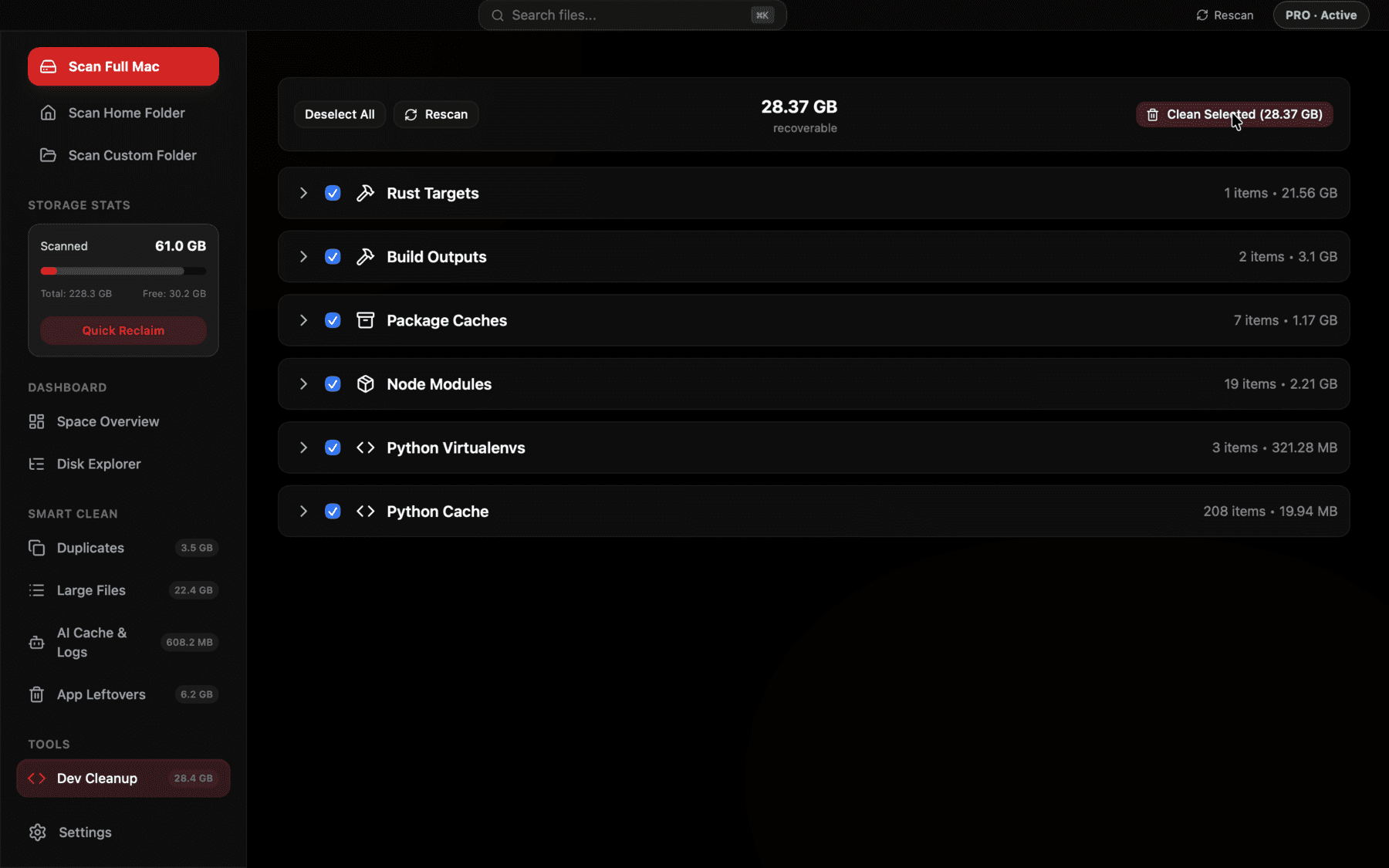
Surfaces package manager caches next to every node_modules folder it finds, so you see the real combined total instead of checking npm, yarn, and pnpm separately.
Corepack and version-specific caches add another wrinkle
If you use Corepack to manage which version of Yarn or pnpm a given project expects, it's worth knowing that switching between major versions of a package manager doesn't clear out the previous version's cache automatically — you can end up with a Yarn Classic cache from an older project and a Yarn Berry setup for a newer one, both sitting on disk unrelated to each other, neither one aware the other exists. The same applies if you've moved a project from npm to pnpm at some point: the old ~/.npm cache entries for that project's dependencies don't get cleaned up just because the project switched tools.
None of this is dangerous, it's just another reason the totals creep up quietly rather than all at once — every package manager version and every tool switch you've ever made leaves its own small trail.
A quick routine worth running occasionally
None of these caches need constant attention, but a few minutes every couple of months keeps them from becoming a real chunk of your disk. The order below goes from safest and fastest to slightly more involved, so you can stop wherever you're comfortable:
- npm cache verify — check size and integrity, clean orphaned entries automatically.
- yarn cache clean — clears Yarn Classic's global cache; check yarn config get cacheFolder first if you're on Berry.
- pnpm store prune — removes only what's no longer referenced by any project, the lowest-risk option of the three.
- du -sh ~/.npm ~/Library/Caches/Yarn $(pnpm store path) 2>/dev/null — one command to see all three sizes at once.
The real payoff is in node_modules, not the caches themselves
It's worth keeping a sense of proportion here: even a neglected npm or Yarn cache rarely runs past a few gigabytes, whereas the accumulated node_modules folders across a few dozen old project clones routinely run into the tens of gigabytes. The caches covered in this piece are worth clearing, but they're the smaller half of the JavaScript tooling storage story — the bigger win for most developers is finding and clearing old node_modules folders themselves, which is really a separate pass with its own find command rather than something npm cache clean or pnpm store prune touches at all.
That doesn't make the caches not worth clearing — a few gigabytes is still a few gigabytes, and unlike a project's node_modules folder, clearing these caches costs you nothing at all beyond a slightly slower first install afterward, since there's no working project depending on them the way node_modules is depended on by whatever you're actively building.
Frequently asked questions
Where is the npm cache stored on Mac?
At ~/.npm by default. Check its size with du -sh ~/.npm and clear it with npm cache clean --force.
Where is the yarn cache stored on Mac?
Yarn Classic (v1) uses ~/Library/Caches/Yarn. Yarn Berry (v2+) can use a different location, often a project-local .yarn/cache folder — run yarn cache dir or yarn config get cacheFolder to confirm.
Where does pnpm store its cache?
In a single global content-addressable store, typically ~/Library/pnpm/store on macOS. Run pnpm store path to see the exact location your installed version uses.
Is it safe to clear npm, yarn, or pnpm caches?
Yes. All three caches only exist to speed up future installs by skipping a re-download. Clearing any of them just means the next install fetches packages from the registry again, which is slower but functionally identical.
Why does pnpm use less disk space than npm or yarn?
pnpm keeps one shared, content-addressable store on disk and links every project's node_modules to it via hard links, instead of giving each project its own fully duplicated copy of every dependency the way npm and yarn classic do.
How often should I clear these package manager caches?
There's no fixed schedule, but checking every couple of months is reasonable if you install a lot of dependencies across many projects. pnpm store prune in particular is low-risk enough to run whenever you think of it.
See exactly what’s using your disk space.