Instantly Reclaim Your|
Clear out gigabytes of hidden clutter with a single click, and get back to doing your best work.
Reclaim Focus
Stop Managing Storage. Start Creating.
Dev caches, everywhere
node_modules, target/, __pycache__, build output — invisible, per project.
AI tools made it worse
Ollama, LM Studio, Cursor, Copilot — model weights and caches, hundreds of GB.
Duplicates you'll never find
Same photo, exported three times. Impossible to track by hand.
Uninstalling doesn't clean up
Deleted apps leave their data behind. Forever.
Apple's tool doesn't help
“About This Mac” is slow, vague, and read-only.
Total Visibility
Everything You Need to Regain Control.
Identify the clutter instantly. Upgrade to wipe it out forever.
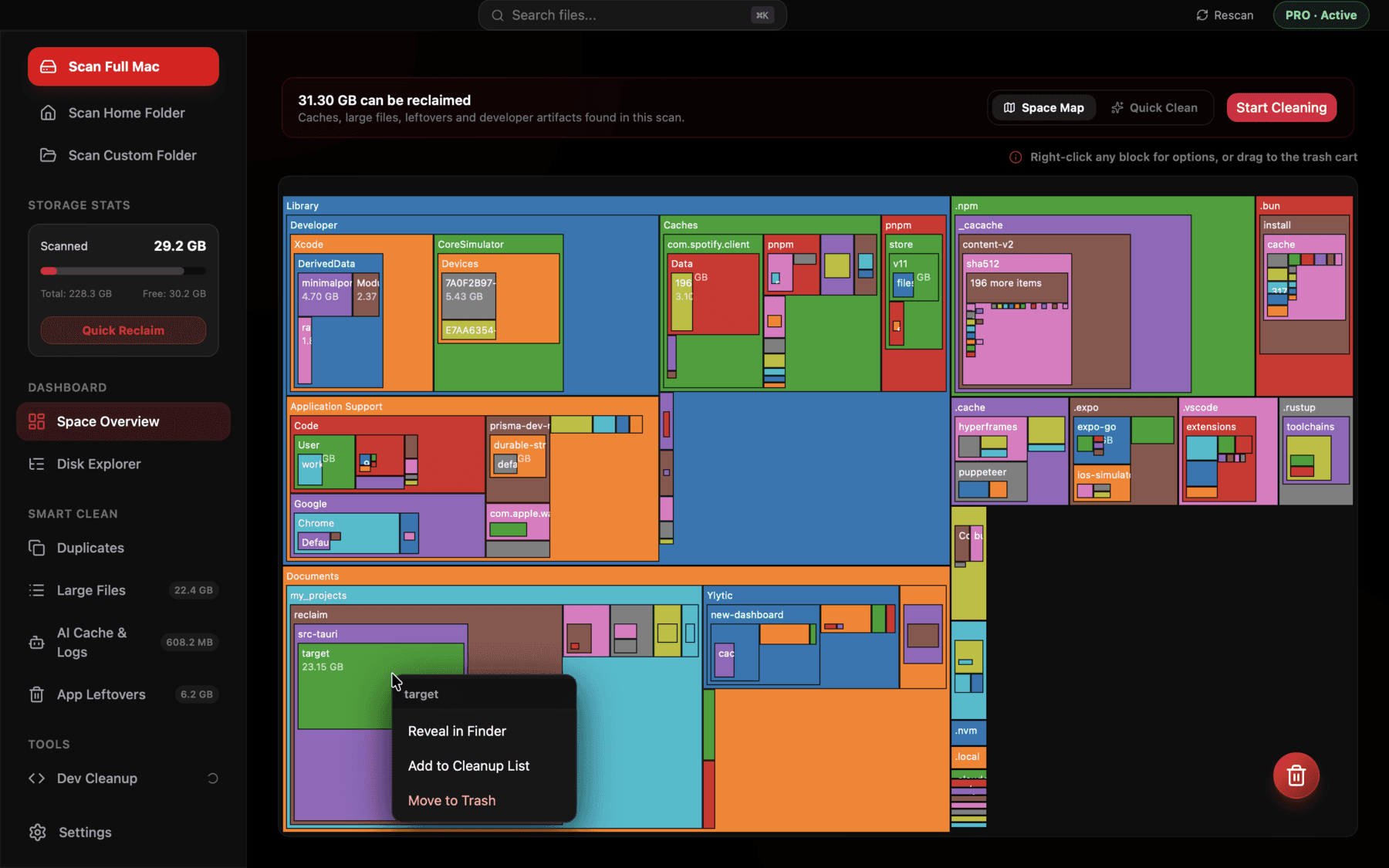
Space Overview
An interactive treemap of your whole drive.
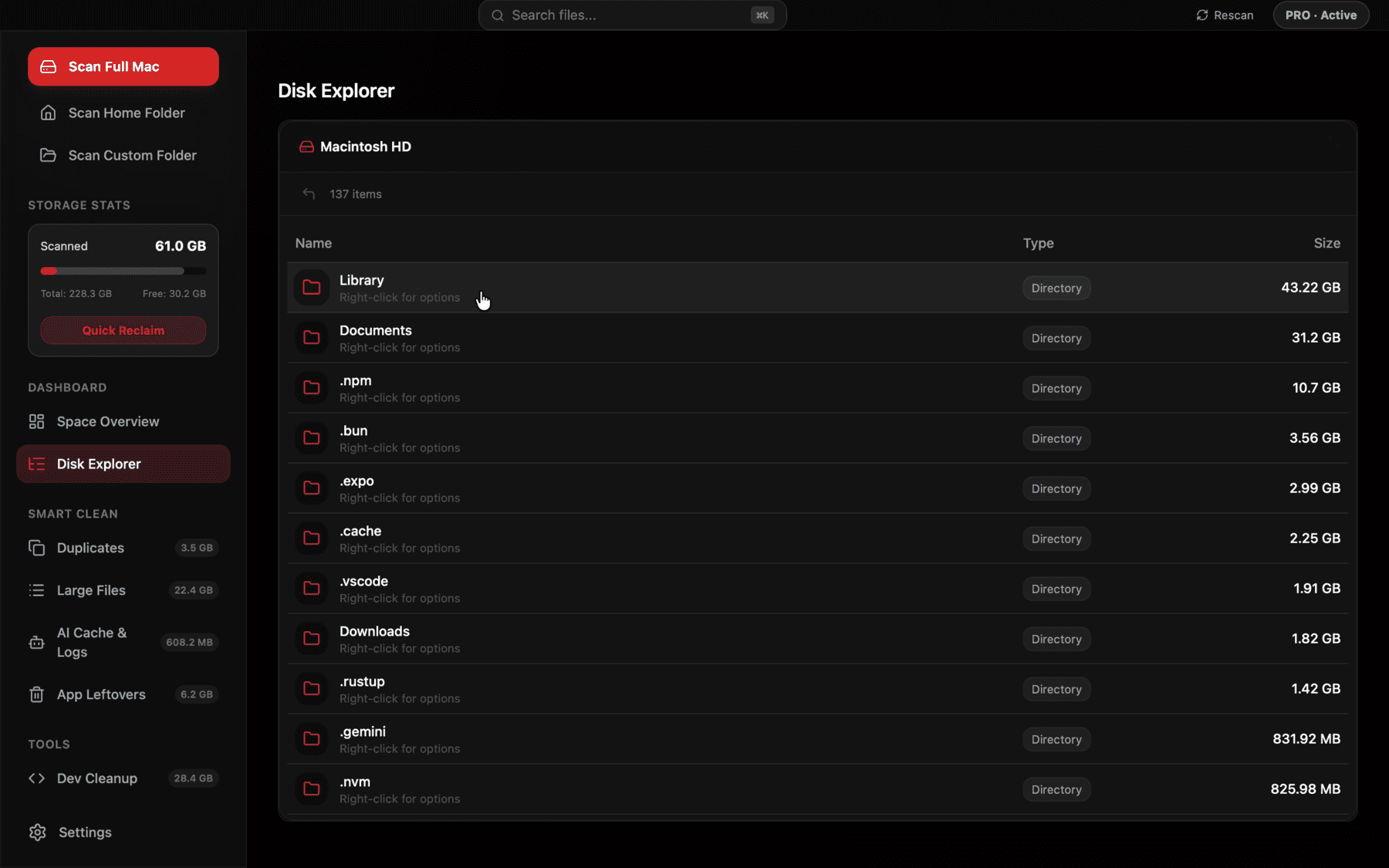
Disk Explorer
Finder-style browser, sorted by size.
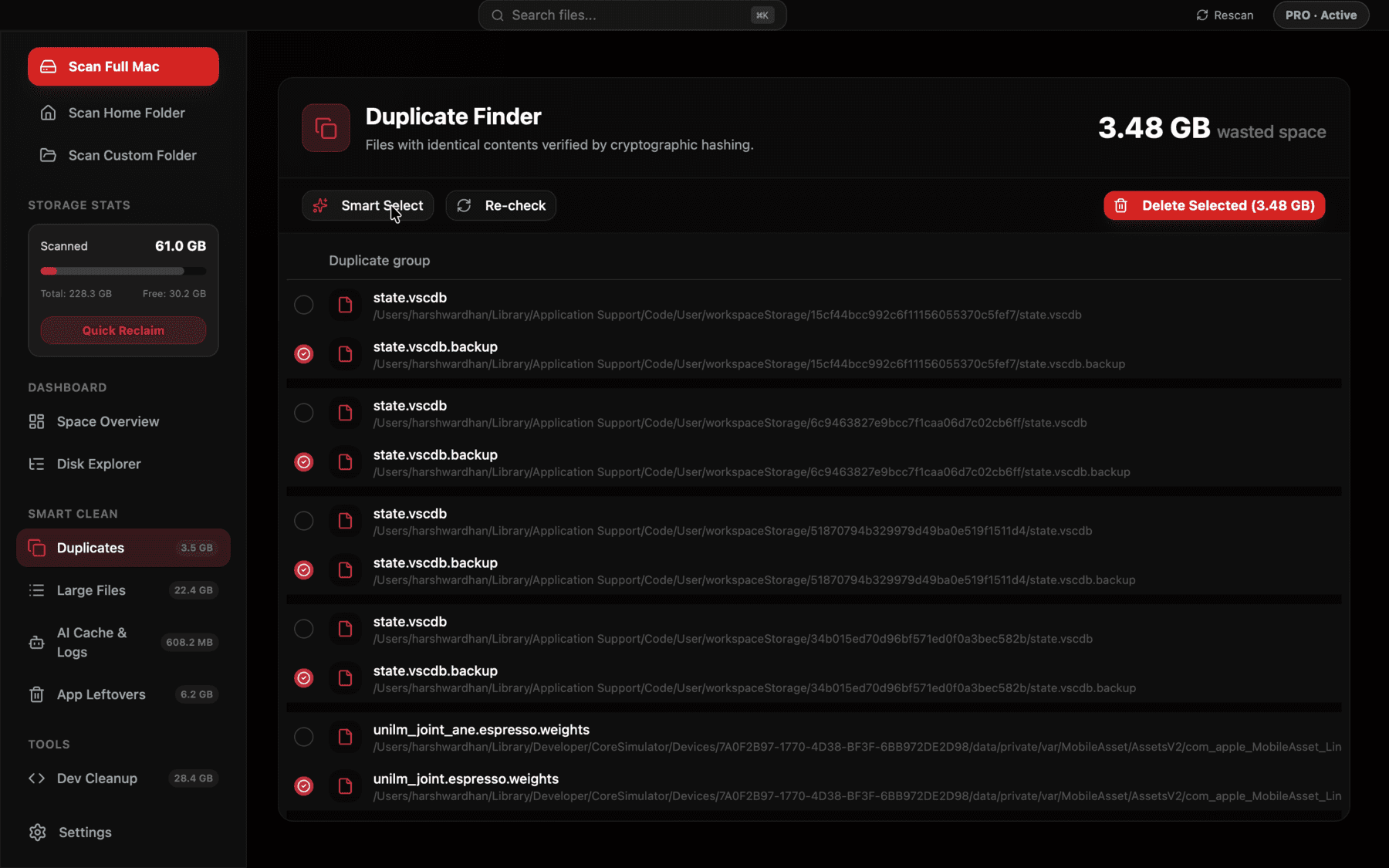
Duplicate Finder
Hash-verified exact matches, smart select.
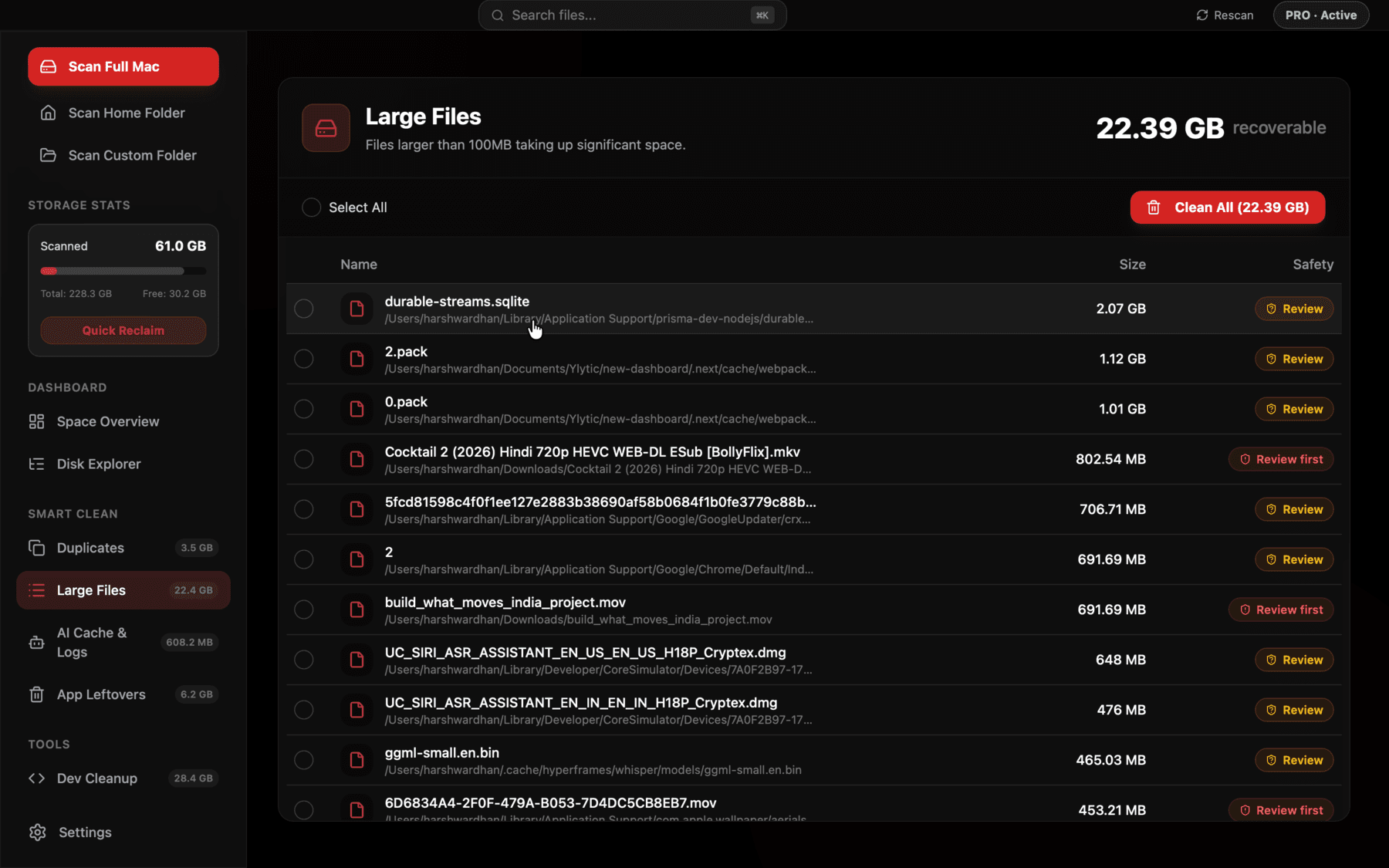
Large Files
Every file over 100MB, biggest first.
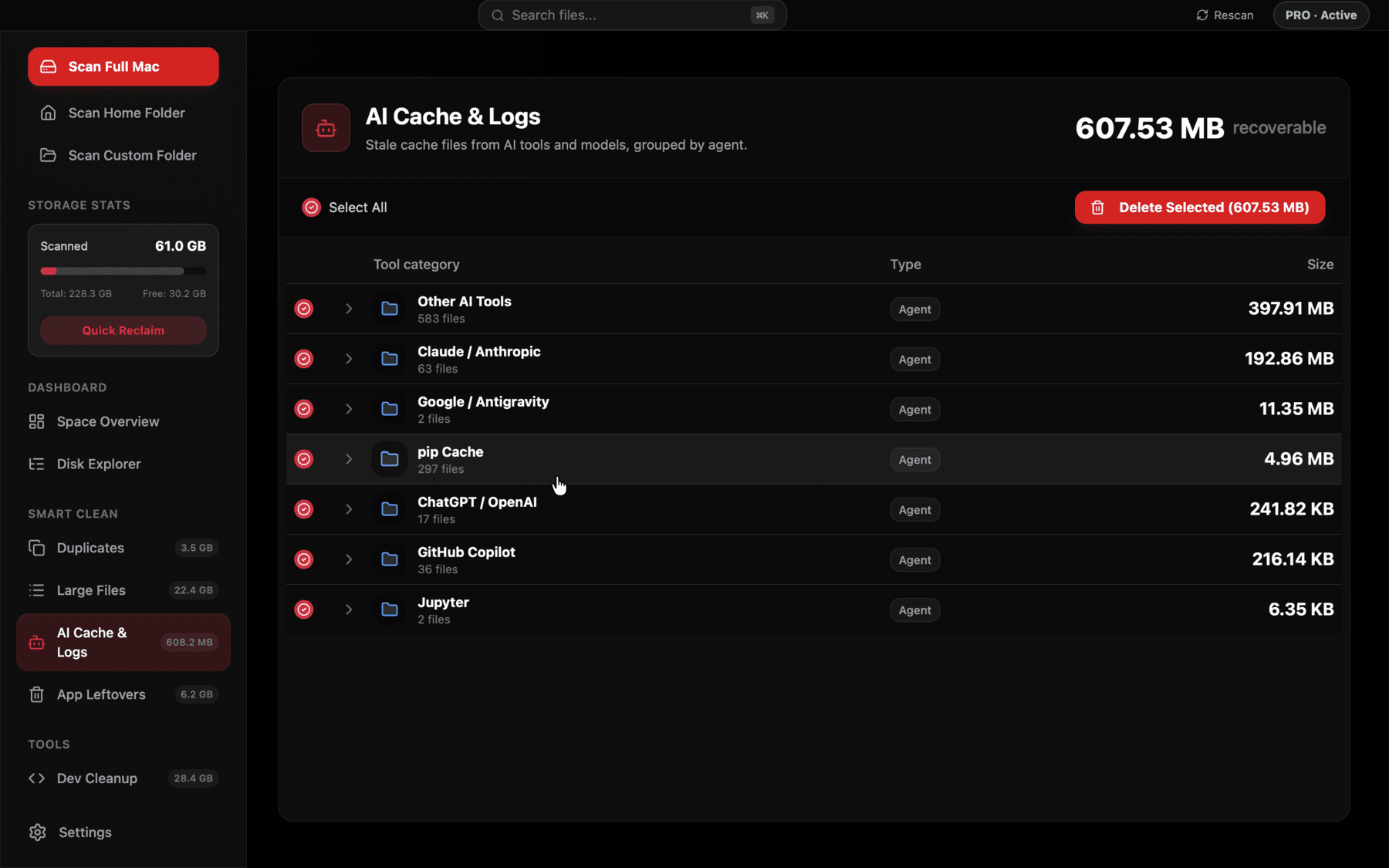
AI Cache & Logs
Ollama, LM Studio, Cursor, Copilot, and more, grouped by tool.
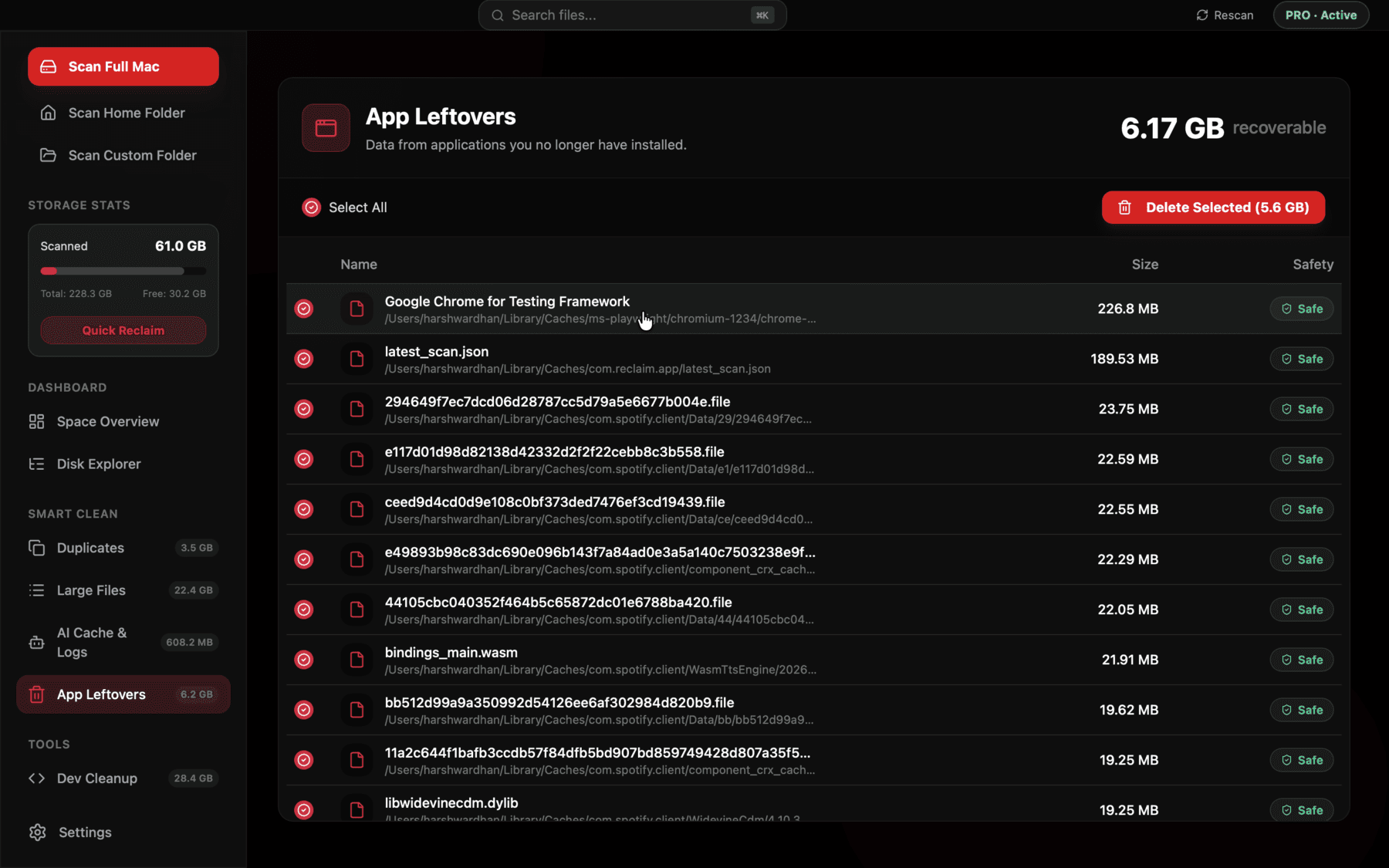
App Leftovers
Finds data from apps you've uninstalled.
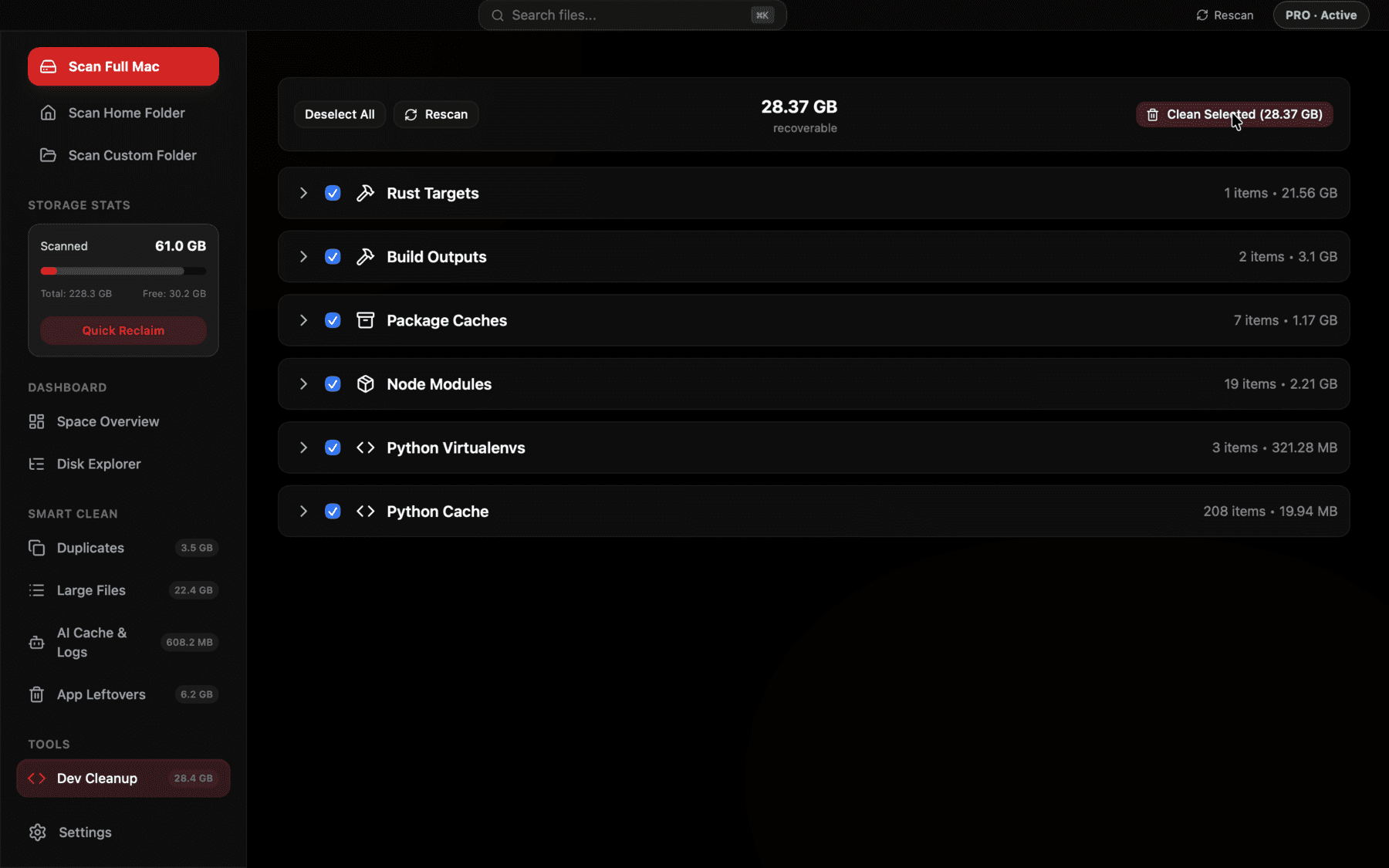
Dev Cleanup
node_modules, target/, venvs — grouped, bulk select.
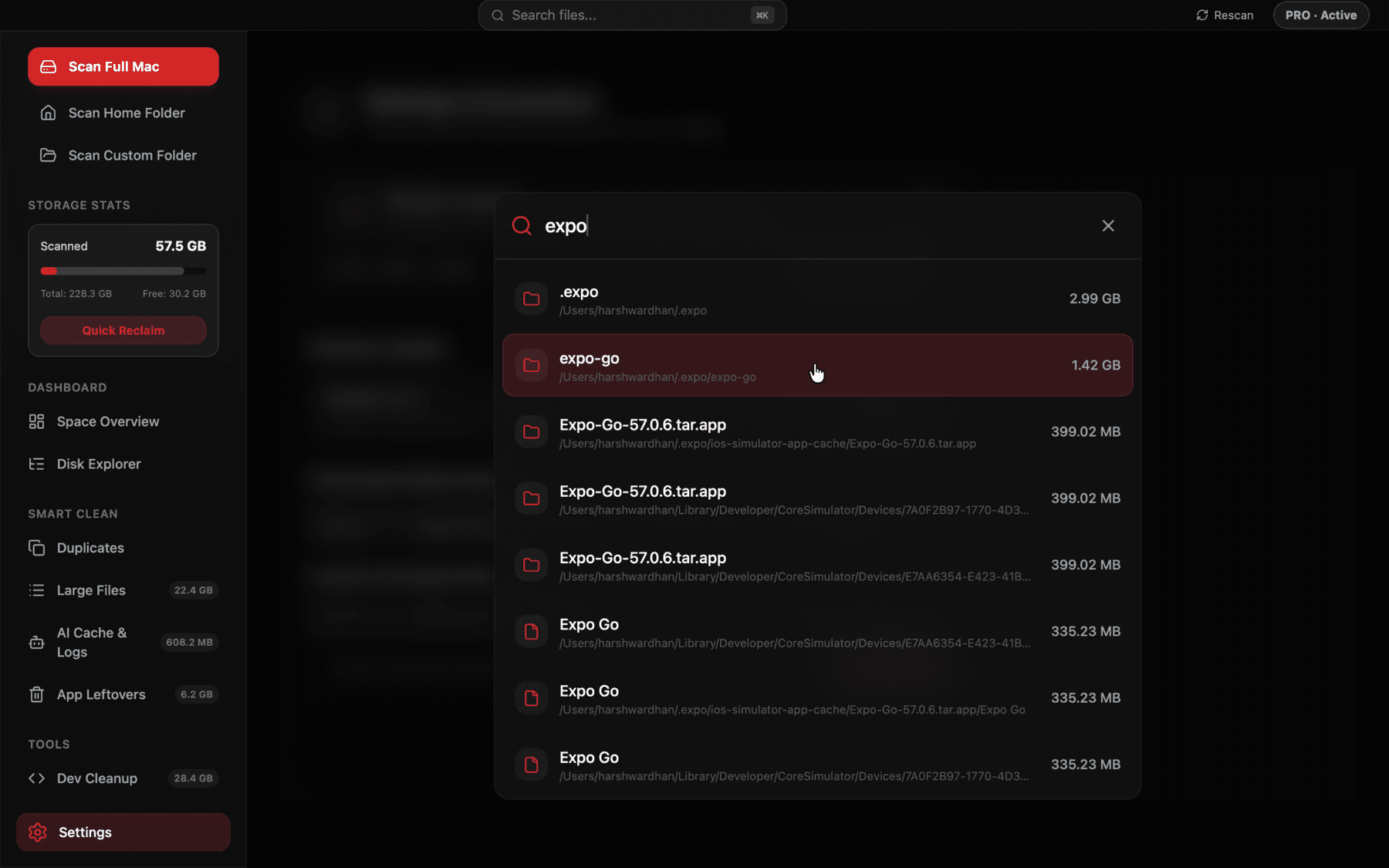
Global Search
Instant ⌘K search across your disk.
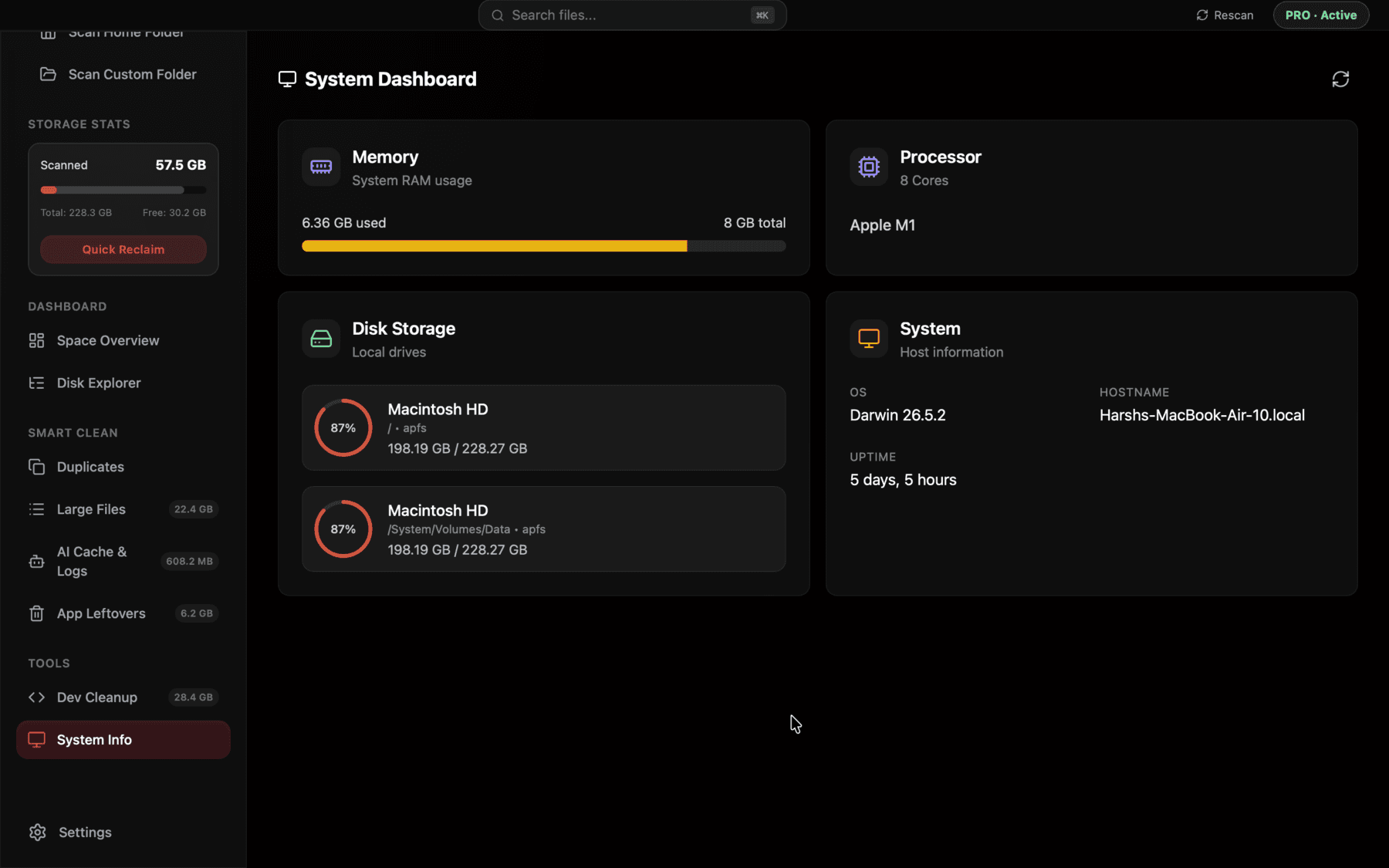
System Info
CPU, RAM, and disk usage at a glance.
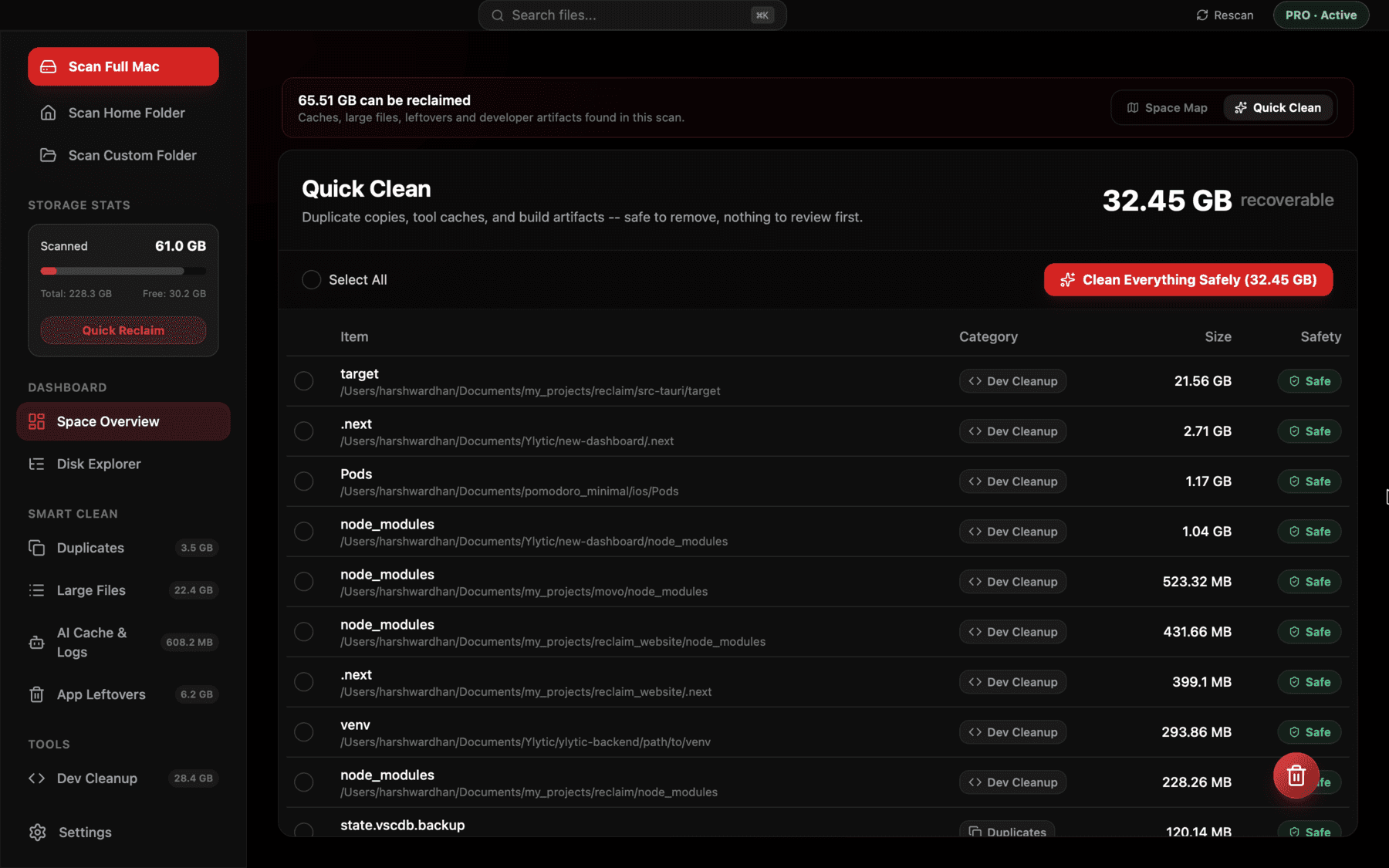
Safety Net
Confirm counts and size before anything moves.
Get started
Minutes to Set Up. Space for Life.
- 1
Download, free
One universal binary — Apple Silicon and Intel both.
- 2
Open it
Signed and notarized by Apple — just double-click.
- 3
Grant Full Disk Access
A guided prompt explains exactly why.
- 4
Scan free, clean with Pro
Explore everything free. Unlock deleting with a license.
Built to be trusted
Incredible Speed.
Absolute Peace of Mind.
Get your results instantly. A native Rust engine scans your entire drive in parallel — zero lag, even with millions of files.
You're always in control. Files go to the Trash, never deleted immediately. Core system paths are hardcoded as undeletable to guarantee safety.
Signed with an Apple Developer ID and notarized by Apple, so it opens straight from your Downloads folder — no Gatekeeper warning, no right-click workaround.
Rust
Native scan engine, not Electron
6.5 MB
Whole universal app, no bloat
Trash only
Never a raw rm, ever
Hardcoded
System paths, undeletable
Invest in your focus
One license. Infinite space.
Find the clutter for free. Reclaim your Mac forever.
Save 27% — Lifetime Access. No Subscriptions.
- Unlocks cleaning & deleting
- Free updates for life
- One Mac, yours forever
FAQ
Questions, answered honestly.
What's free, and what needs a license?
Downloading and scanning is free, forever — the treemap, duplicate finder, AI cache breakdown, everything. A one-time Pro license unlocks actually deleting what's found.
Will Reclaim ever permanently delete my files?
No. Every deletion — one file or a bulk selection — moves items to the macOS Trash first, exactly like dragging a file to Trash in Finder. It's recoverable the same way. Core system paths are also hardcoded as undeletable at the engine level, so no combination of selections can touch them.
What is Full Disk Access, and why does Reclaim need it?
It's a macOS permission (System Settings → Privacy & Security) required to see inside protected folders like ~/Documents, ~/Desktop, and ~/Library. Without it, scans silently skip those folders. Reclaim asks for it with a guided, explained first-run prompt.
Is Reclaim notarized or signed by Apple?
Yes. Reclaim is signed with an Apple Developer ID certificate and notarized by Apple, with the notarization ticket stapled to the app. That means Gatekeeper accepts it on first launch — no right-click → Open workaround, no "unidentified developer" warning. Just drag it to Applications and open it.
Does it work on both Apple Silicon and Intel Macs?
Yes. It's a universal binary — one download runs natively on both architectures. You don't have to figure out which version to grab.
How is a 6.5MB app this fast?
There's no bundled Chromium or JavaScript-driven scanning. The scan engine is compiled Rust running through Tauri, with the webview used for the UI only — directory walking and duplicate hashing are both parallelized across CPU cores.
How does duplicate detection actually work?
Candidates are grouped by exact file size, then hashed in parallel — a cheap partial hash first, and a full cryptographic hash only to confirm real matches. It's based on file content, not filename or size guessing.
Is the license a subscription?
No. One-time lifetime purchase — pay once, clean up as much as you want, free updates included.
Does Reclaim auto-update?
Yes, it ships with a built-in updater, so you always get the latest version without manually re-downloading.